
Subtitles and transcripts, offline.
Drop in interviews, lectures or videos and get SRT subtitles and a text transcript next to each file. Runs on your computer, no account and no uploads.
Version 1.1.0, free and open source
Everything happens on your own computer.
What it does
-
Subtitles, a transcript or both
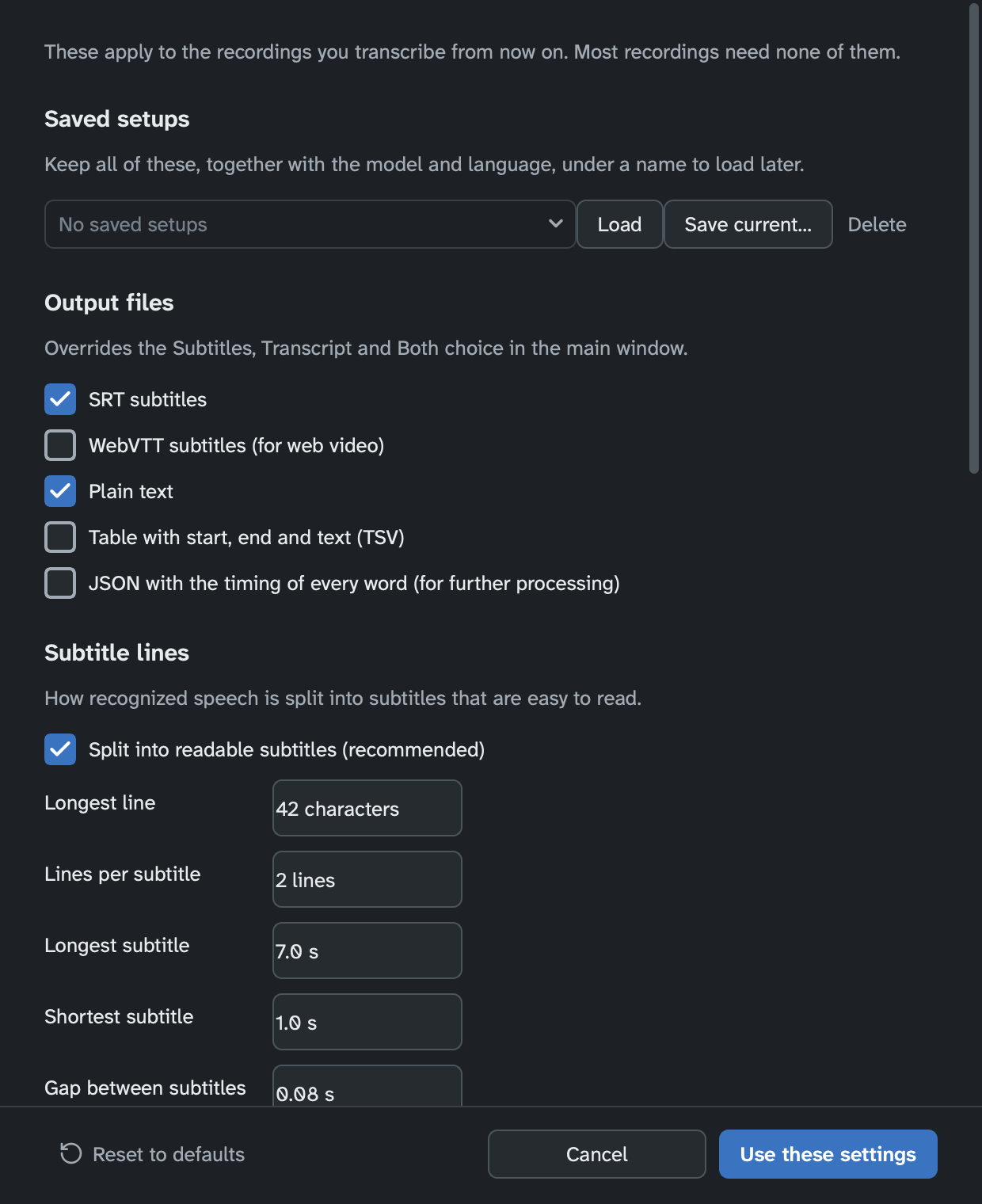
From any audio or video file. Subtitles are split into lines that are easy to read, saved as SRT or WebVTT; transcripts as plain text.
-
Private by design
Recordings stay on your computer. The internet is only needed to download a speech model once.
-
Many languages
It recognizes the spoken language by itself, or you choose it. Most models can also translate the speech into English.
-
Lots of recordings at once
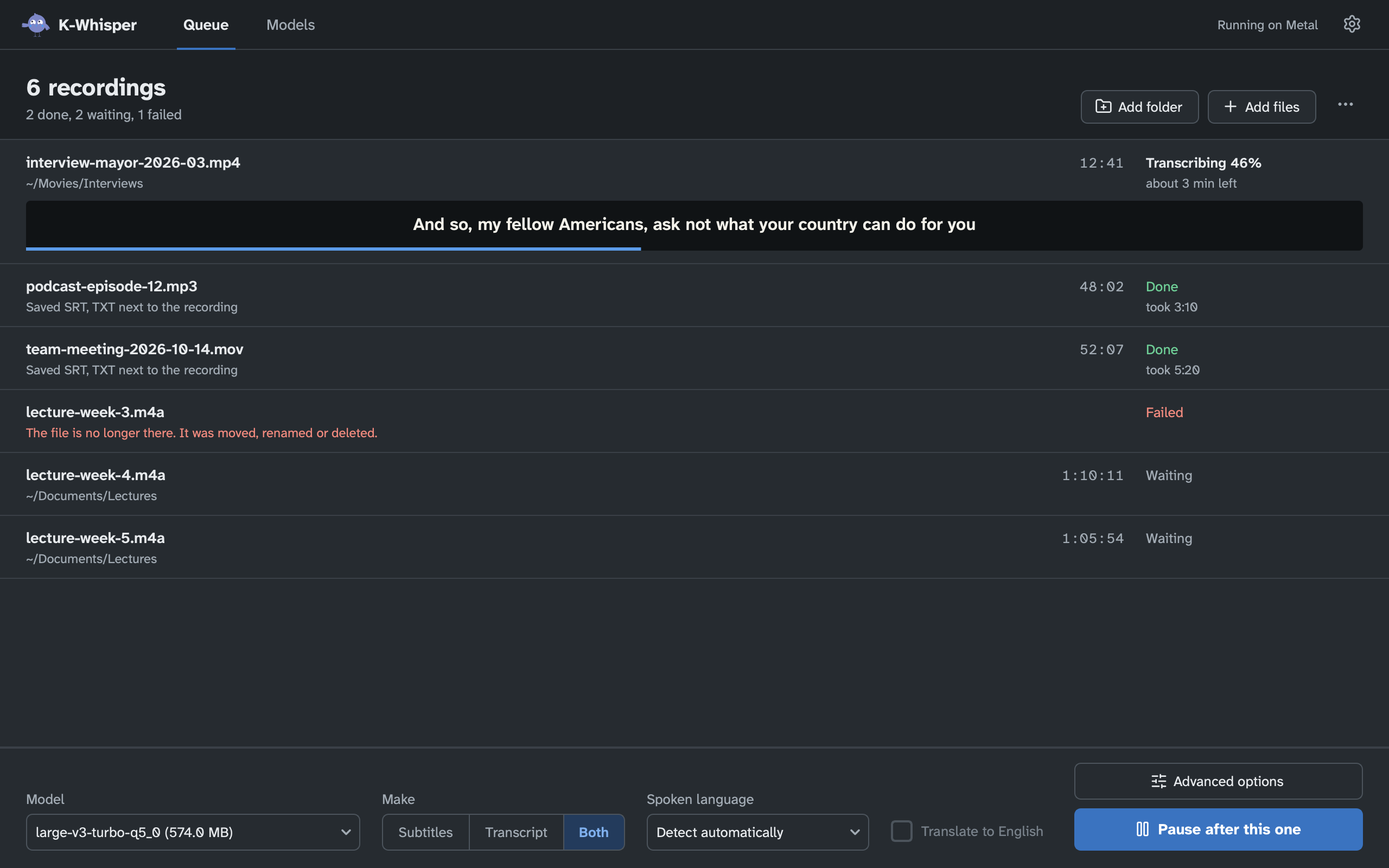
Drop in files or whole folders. You see each line as it is recognized and how long is left, and you can pause, stop or try again.
-
Fast on your graphics card
Uses Apple Silicon, or NVIDIA, AMD and Intel graphics on Windows and Linux, and the processor otherwise.
-
More when you need it
Names and terms to spell correctly, skipping silent parts, subtitle line length, more file formats. Light and dark appearance.
How it works
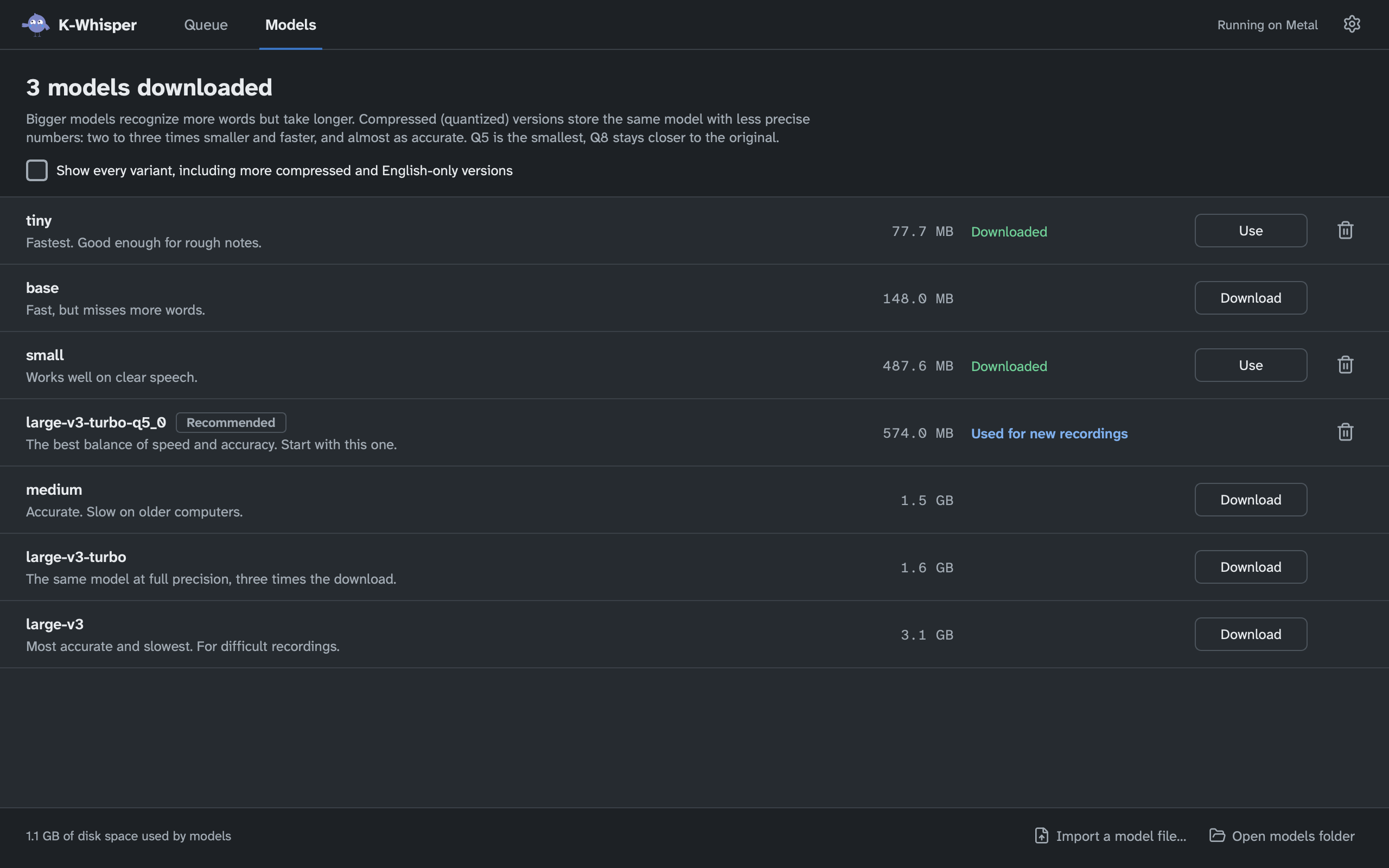
- Open Models and download a speech model. The one marked Recommended suits most recordings.
- Drop recordings or whole folders onto the window, or click Add files.
- Choose what to make (subtitles, a transcript or both) and the spoken language, or let it detect it.
- Click Transcribe. The files are saved next to each recording.
Download
K-Whisper is free for macOS, Windows and Linux. Pick the file for your computer. Version 1.1.0, released November 21, 2026.
macOS
Your systemApple Silicon (M1 or newer)
Macs with an Intel processor are not supported.
Windows
Your systemIntel or AMD processor
ARM, e.g. Snapdragon laptops
The portable version runs without installing.
Linux
Your systemIntel or AMD processor
ARM processor
x64 needs glibc 2.35+ (Ubuntu 22.04, Debian 12), ARM glibc 2.39+ (Ubuntu 24.04).
First launch
K-Whisper is not signed with a paid developer certificate, so your system asks once whether you trust it.
- macOS
- Open the .dmg and drag K-Whisper into Applications. The first launch is blocked: open System Settings › Privacy & Security, scroll down and click Open Anyway. On macOS 14 and older, right-click the app › Open also works.
- Windows
- If a blue “Windows protected your PC” window appears, click More info › Run anyway.
- Linux
- Allow the AppImage to run (right-click › Properties › Allow executing as program, or chmod +x), then open it. It needs the usual Qt libraries, e.g. libxcb-cursor0, libxkbcommon-x11-0 and libegl1.
Questions
Is K-Whisper free?
Yes. It is free and open source under the MIT license, with no account, no subscription and no limits on how much you transcribe.
Are my recordings uploaded anywhere?
No. Everything runs on your own computer, so you can transcribe confidential interviews or meetings. The internet is only used to download speech models and to check the list of models.
How accurate is it?
K-Whisper uses OpenAI's Whisper models through whisper.cpp. On clear speech the larger models get most words right, but names, jargon and noisy recordings still need a check. You can list names and terms it should spell correctly.
Which files can it read?
Practically any audio or video file: MP3, WAV, M4A, FLAC, OGG, MP4, MOV, MKV and more. It writes SRT and WebVTT subtitles, plain text, TSV and JSON with word timings.
Does it need a powerful computer?
No. Smaller models run on almost any computer; larger ones are more accurate but slower. With a graphics card or Apple Silicon, transcription is much faster.
Can I rely on it for important work?
Most of K-Whisper's code was written with an AI assistant and only partly reviewed by a human. It is fine for everyday transcription, but it is not recommended for critical systems or anywhere a wrong or missing transcript could cause harm.